Savings
Sinking Funds Tracker
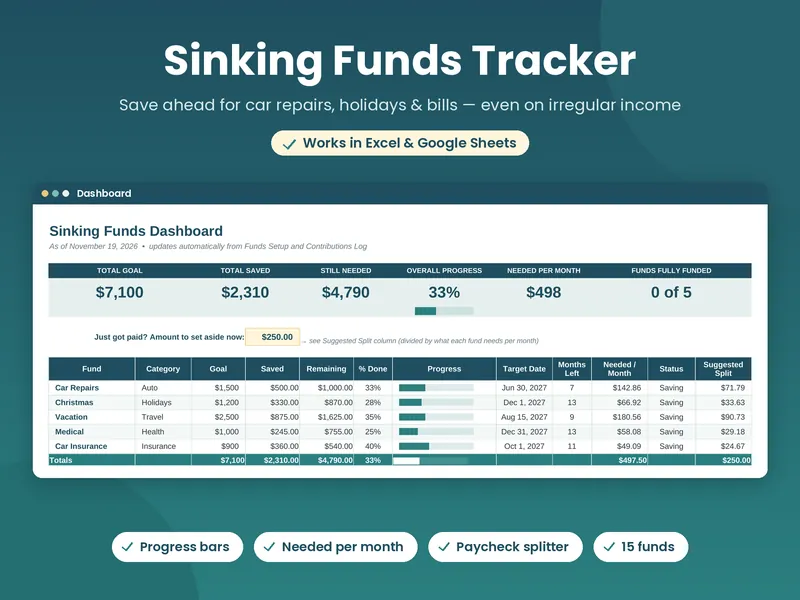
Save a little at a time for the expenses you already know are coming — car repairs, holidays, insurance, vet bills. Includes a paycheck splitter for uneven income.
Excel & Google Sheets
Built for gig workers, servers, freelancers, and anyone whose paycheck isn’t the same every month. Real formulas, no macros — just open the file and start.
The shop
Each file is a single .xlsx download. Checkout happens on Payhip, and you get the file instantly.
Save a little at a time for the expenses you already know are coming — car repairs, holidays, insurance, vet bills. Includes a paycheck splitter for uneven income.
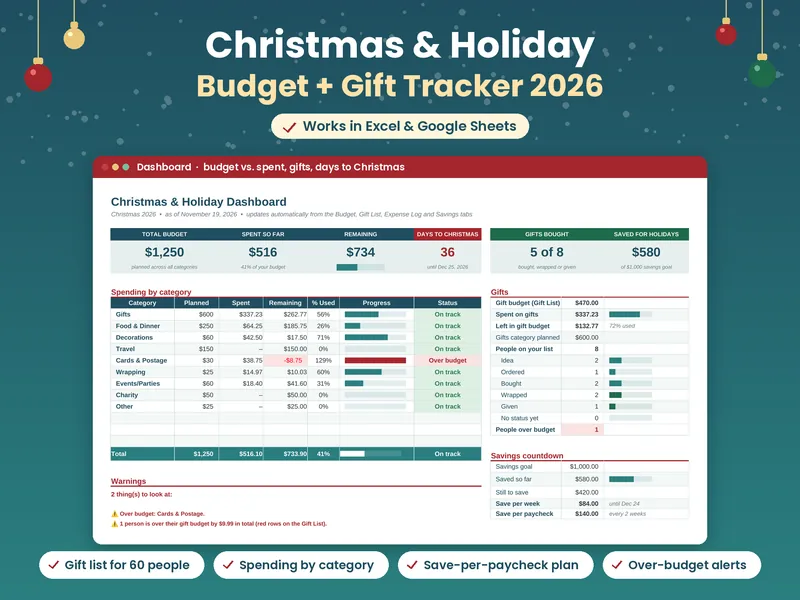
Keep Christmas off the January credit card bill. Track your holiday budget, a gift list for up to 60 people, and how much to save each paycheck until December 24.
A year-long budget planner for 2027, with space to plan month by month.
A budget designed for tips, gigs, freelance invoices, and uneven paychecks.
Track payoff progress with a snowball or avalanche plan.
How it works
Each Buy button takes you to the product page on Payhip. Checkout is handled there, and payment goes through PayPal or the option you choose.
You get a .xlsx spreadsheet instantly after purchase. Payhip emails you the receipt and the file.
Open it in Excel, or upload it to Google Drive and save it as Google Sheets. A Start Here tab walks you through the setup.
Why these sheets
Nothing to enable and no add-ons to install. The sheets use standard formulas that Excel and Google Sheets both support — and they open in LibreOffice Calc too.
Tools like a paycheck splitter and per-paycheck savings targets are there so a slow month doesn’t wreck the plan.
One .xlsx file. Use it on Windows, Mac, Excel for the web, or upload it to Google Drive and save it as Google Sheets. Formulas, dropdowns, and progress bars carry over.
Personal use only. These are budgeting tools, not financial advice. The products are made with AI assistance and checked before they go on sale.
FAQ
In Google Drive, click New > File upload and choose the .xlsx file. Open it, then go to File > Save as Google Sheets. Formulas, dropdowns, and progress bars carry over. After that, follow the Start Here tab in the file.
It’s an instant download through Payhip after checkout. Payhip emails you the receipt and the file.
Purchases are processed by Payhip, which does not issue refunds itself. Refund requests go to the seller through Payhip. See Payhip’s refund request article for how that works.
No. These sheets are for personal use only.
No. The file opens in Excel (Windows, Mac, or Excel for the web), Google Sheets, and LibreOffice Calc.
No. The sheets use only standard formulas that Excel and Google Sheets both support.